
Read more About Execution Policies
All PowerShell execution policies:
- Restricted – No scripts can be run. Windows PowerShell can be used only in interactive mode.
- AllSigned – Only scripts that are signed by a trusted publisher can be run.
- RemoteSigned – Downloaded scripts must be signed by a trusted publisher before they can be run.
- Unrestricted – No restrictions; all Windows PowerShell scripts can be run.
The “Get-ExecutionPolicy” cmdlet shows the current PowerShell execution policy.
The “Set-ExecutionPolicy” cmdlet changes the PowerShell execution policy.
Example –
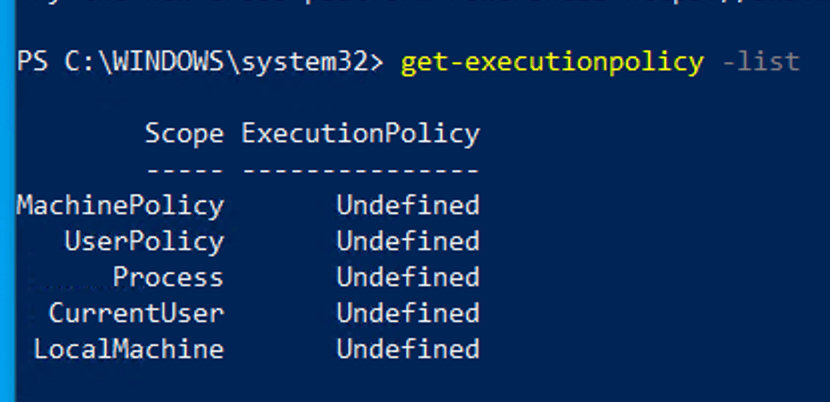
- By default in my windows 10 client machine. Scope of execution policy was set to Undefined. I used
Get-ExecutionPolicy -Listcommand - By using
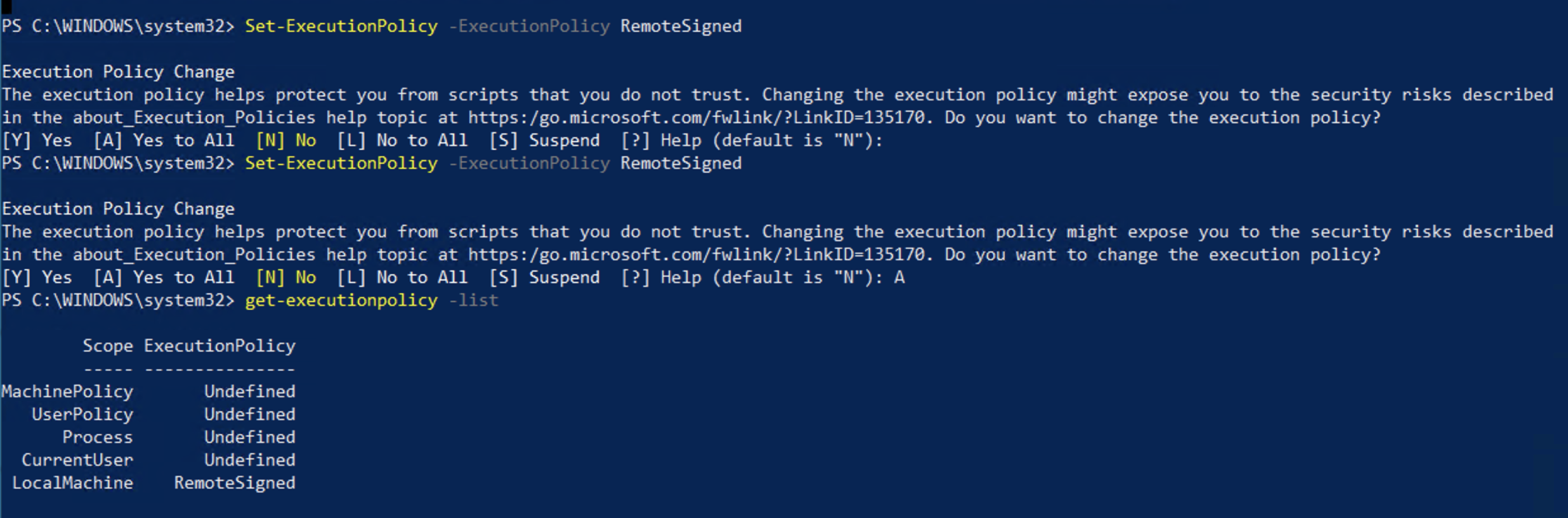
Set-ExecutionPolicy -ExecutionPolicy RemoteSignedcommand and it changed LocalMachine scope to RemoteSigned.
 ScrollUnlock
Leave a comment