
Driver Installation After Fresh Windows OS Setup
In modern Windows (as of Windows 11 in 2025), the situation has improved significantly compared to older versions like Windows XP or 7, where manual driver installation was often a lengthy post-setup chore. Windows now includes a vast built-in driver database and integrates tightly with Windows Update, which automatically detects and installs drivers for most common hardware during or shortly after installation. 8 For basic functionality—such as booting, using the keyboard/mouse, display output, and even networking on many systems—you typically don’t need to manually hunt for “tons” of drivers right away. Here’s a breakdown:
- Automatic Handling: Upon a fresh install, Windows scans your hardware and pulls compatible drivers from its repository or online via Windows Update. This covers generics for CPUs, storage drives, basic GPUs, and USB devices. 8 If you’re connected to the internet during setup (highly recommended), it can fetch manufacturer-specific drivers for things like Wi-Fi adapters, Bluetooth, or integrated graphics from Intel/AMD/NVIDIA.
- When Manual Intervention is Needed: Not everything is seamless. For specialized or less common hardware (e.g., certain Wi-Fi cards, high-end audio interfaces, or older peripherals), you might see yellow exclamation marks in Device Manager indicating missing or generic drivers. 0 5 In these cases, you’d download them from the manufacturer’s site (e.g., HP, Dell) or use tools like the built-in troubleshooter. For laptops or pre-built PCs, starting with chipset drivers often resolves cascading issues. 2 5 Resetting or reinstalling Windows can wipe custom drivers, requiring re-download if they’re not available via Update. 6
- Tips for a Smoother Experience: Connect to the internet early (via Ethernet if Wi-Fi drivers are missing), run Windows Update immediately after install, and check Device Manager for any gaps. 0 7 OEMs like Microsoft (for Surface) or others can integrate drivers into the setup process using provisioning packages. 1 Overall, for a standard PC build in 2025, you’re looking at minimal manual work—maybe 1-3 drivers at most for edge cases—versus the driver CD marathons of the past.
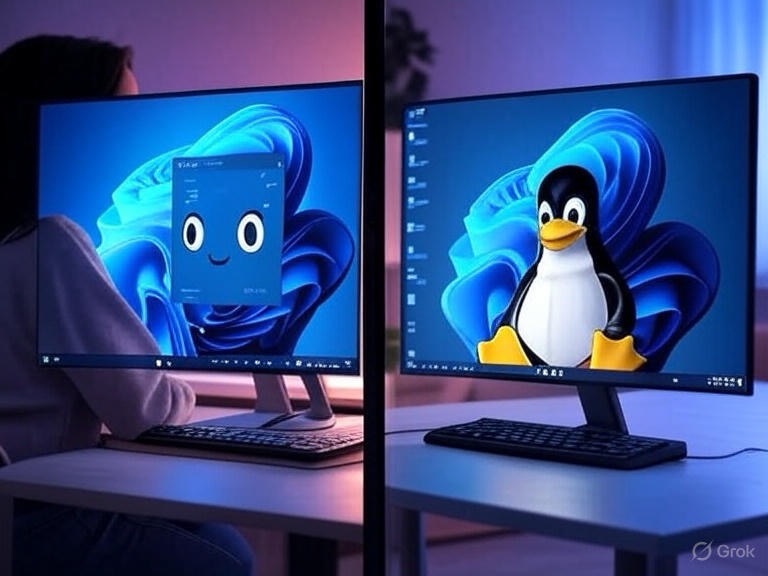
Comparison of Latest Windows OS (Windows 11) to Linux: Smartness and Robustness
Windows 11 (the latest stable version as of September 2025, with ongoing updates but no widespread Windows 12 release mentioned) and Linux (encompassing distros like Ubuntu, Fedora, or Mint) both have strengths, but they differ in philosophy: Windows prioritizes ease-of-use and broad compatibility for consumers, while Linux emphasizes customization, efficiency, and open-source principles. Here’s a head-to-head on “smart” (automation, AI integration, user-friendliness) and “robust” (stability, security, reliability) aspects, focusing on desktop use unless noted.
Driver Support
- Windows 11: As above, it’s quite smart about drivers—automatic detection and updates are baked in, making it plug-and-play for most hardware. 8 However, proprietary hardware (e.g., some printers or scanners) might still require manual downloads, and compatibility can lag for very new or obscure components compared to Windows 10. 15
- Linux: Modern kernels (e.g., in Ubuntu 24.04 or Fedora 42) include extensive open-source drivers out-of-the-box, often making fresh installs even more hands-off than Windows for supported hardware—no internet needed for basics like graphics or networking in many cases. 11 15 Proprietary drivers (e.g., NVIDIA) require manual setup via tools like Additional Drivers in Ubuntu, but overall support has improved dramatically by 2025, especially for gaming with Proton. 11 Linux edges out for hardware variety in some scenarios, but can be finicky with bleeding-edge devices.
- Verdict: Both are robust here, but Linux often feels “smarter” for seamless integration without vendor lock-in, while Windows is more consistent for Windows-optimized hardware.
Smart Features (Automation, AI, Ease of Use)
- Windows 11: Highly “smart” with built-in AI like Copilot for natural language assistance in tasks (e.g., summarizing docs or adjusting settings). 9 It automates updates, backups (via OneDrive), and app management through the Microsoft Store. Snap layouts, virtual desktops, and voice typing make it intuitive for productivity. However, it can feel bloated with ads and telemetry, requiring tweaks post-install. 10 18
- Linux: Smarter in modularity—you can tailor distros (e.g., Pop!_OS for NVIDIA ease) to automate workflows via scripts or tools like GNOME extensions. AI integration is growing (e.g., via extensions or tools like Ollama), but it’s not as polished or native as Windows. Package managers (apt, dnf) handle updates intelligently without reboots often. It’s less “hand-holding” but empowers advanced users with automation via CLI.
- Verdict: Windows 11 wins on out-of-box smartness for casual users, with AI and automation making it feel modern. 9 Linux is smarter for tech-savvy folks who value customization over predefined features.
Robustness (Stability, Security, Reliability)
- Windows 11: Stable for daily use, with strong app performance and fewer crashes than predecessors, but updates can introduce bugs (e.g., functionality hiccups). 10 Security is robust with features like TPM 2.0, Secure Boot, and Windows Defender, plus automatic patches. 18 It’s reliable for business/gaming but requires more maintenance (defragging, optimization) to stay snappy over time. 14 In benchmarks, it sometimes lags behind Linux in raw performance, especially on AMD hardware. 12 17
- Linux: Excels in robustness—it’s lightweight, stable over long periods, and less prone to bloat or slowdowns. 14 Security is strong due to open-source auditing, user permissions, and distro-specific tools (e.g., AppArmor). It’s highly reliable for servers (99.999% uptime common) and has gained ground in desktops/gaming. 11 18 Distros like Rocky Linux emphasize enterprise stability. 16 However, stability varies by distro; rolling releases like Arch can be less predictable.
- Verdict: Linux is generally more robust for long-term stability and security, especially in resource-constrained or custom setups. 14 17 Windows 11 is robust enough for most users but can feel less efficient due to its monolithic design.
In summary, Windows 11 has evolved to minimize post-install hassles and feels “smarter” for mainstream tasks, but Linux often outshines it in robustness and driver inclusivity for those willing to tinker. The choice depends on your hardware, use case (e.g., gaming favors Windows), and preference for control vs convenience. 9 11 18
 ScrollUnlock
Leave a comment